Made for meetings in person

Record meetings.
Transcribe them.
Get clear notes.

Give the conversation your attention. AuralMinutes records in-person meetings, creates an editable transcript with speakers, then helps you turn it into clear notes and next steps.

Coming soon to iPhone & Android
On-device by defaultFree local transcriptionNo account to start

For conversations worth keeping.

  • Team meetings
  • Board meetings
  • Interviews
  • Client consultations

Made for the room

Listen to the people.
Keep the details.

Put your phone on the table and give the conversation your attention. Afterwards, find what each person said, check the recording and correct anything that needs it.

See how it works
Four people sit around a table. A phone in the centre records their conversation.

Loading the meeting room…

Speaker 100:00

So we do want latex.

Meeting sample
Sample audio from meeting ES2008c, by the AMI Consortium and shared under CC BY 4.0. Lines follow the corpus’s reference transcript, lightly edited.

From conversation to clarity

Stay in the meeting.
Come back to the details.

Stop trying to listen and write everything down at once. Keep a recording to come back to, check the important moments and turn what was agreed into clear next steps.

A little help with the write-up

Less time writing.
More room to think.

Finish the meeting with a way forward, not a blank page. Bring the important points together, review what matters and make the next steps clear.

Free · compatible iPhones

A quick summary, on your phone.

Get your bearings before writing the minutes. Quick summary gives you a first overview of the transcript, using your phone’s own model without uploading the meeting.

Requires iOS 26 or later and a compatible device with the on-device model enabled and ready. Availability can depend on language. Not available on Android.
Pro & Max

A first draft of the minutes.

Cloud AI turns the transcript into a structured first draft with the key points, decisions and actions. Review and edit it before sharing. You choose which meetings to process in the cloud.

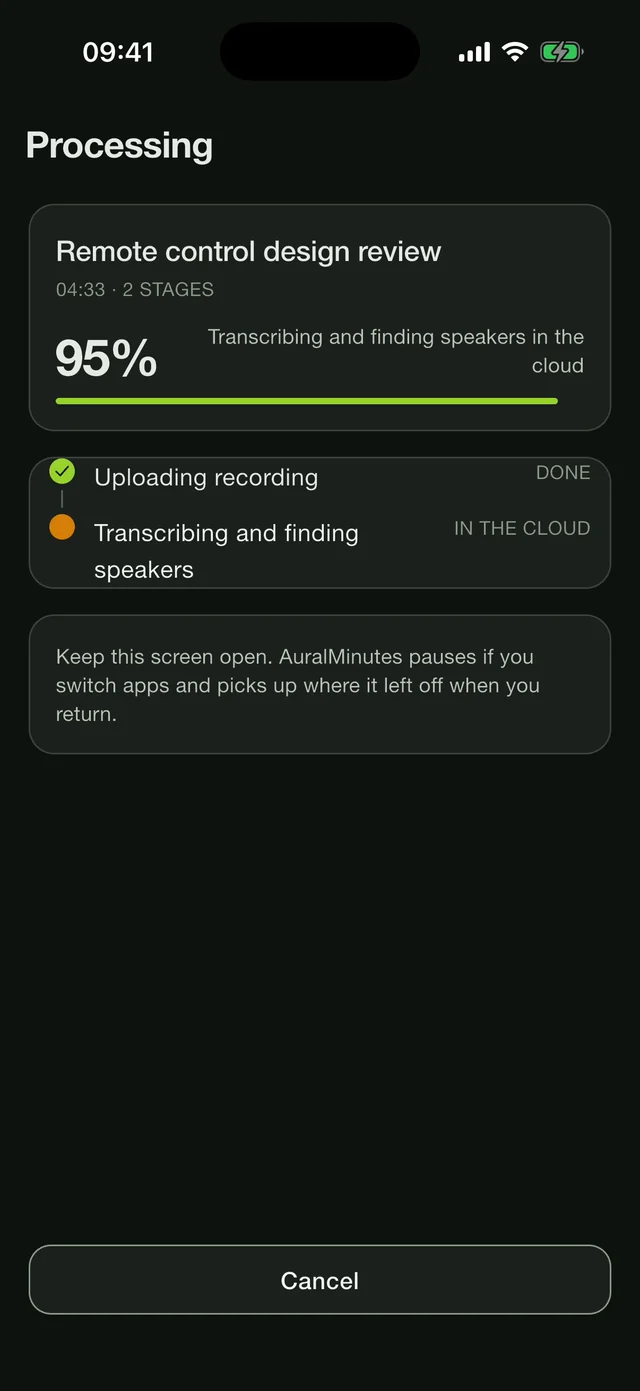
AuralMinutes transcribing a four-minute meeting in the cloud: the upload is done and speakers are being found.
Speakers, found in the cloud. Pro sends the recording to be transcribed, and the speakers come back already told apart.
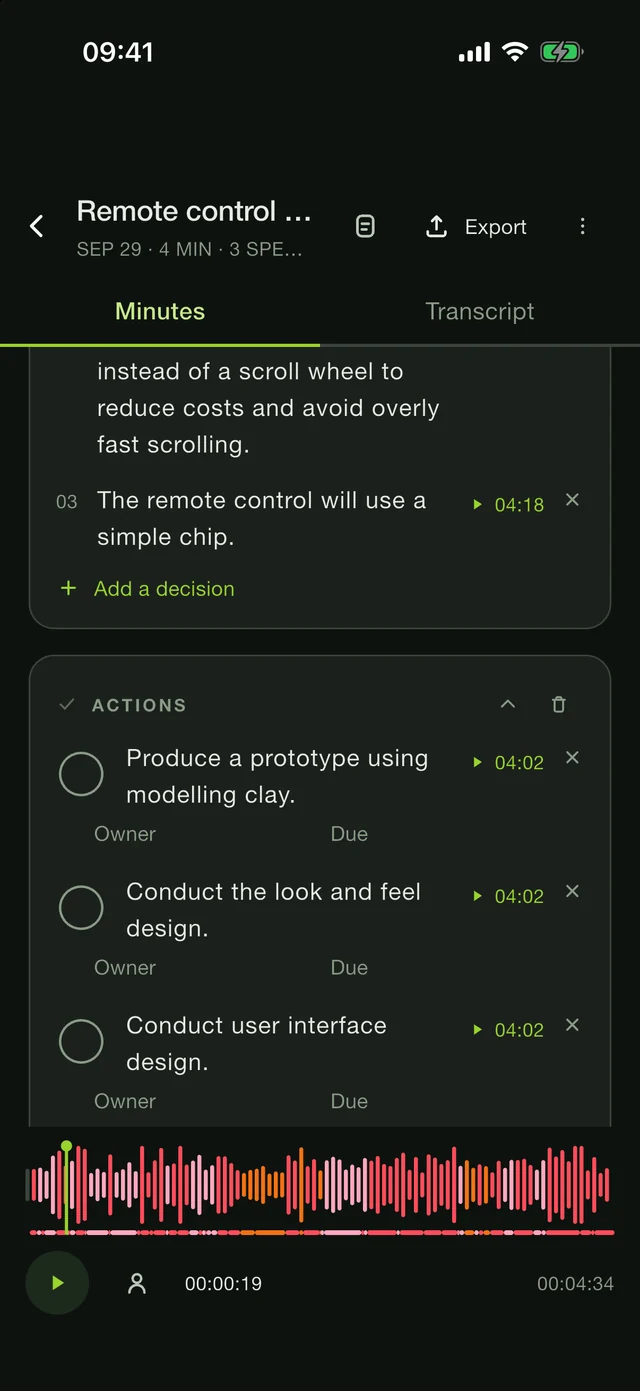
Minutes drafted by AuralMinutes: decisions and actions, each with a link to the moment in the recording.
Decisions and actions, with their moment. Every one links back to where it was said, so you can check it before you share.
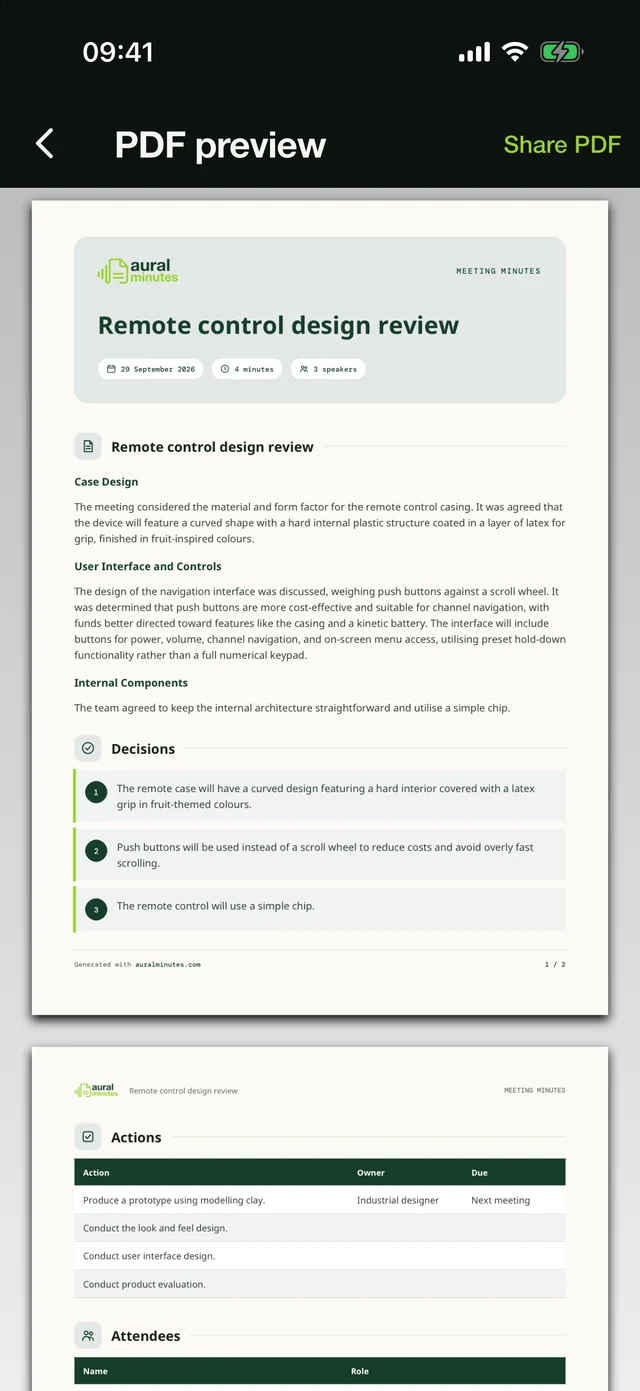
The finished minutes as a PDF preview in AuralMinutes.
Ready to send. Review the draft, add your own details, and export a finished document.

Write it your way · included in Free

More than a summary.
A proper meeting document.

Every meeting needs something different. Keep the people, decisions and supporting detail together in one clear document. Add and rearrange any of these ten note types yourself—all included free, with no AI subscription.

  • Heading

    Give each topic its own section.

  • Text

    Write the context in your own words.

  • List

    Keep key points and checklists together.

  • Attendees

    Add names and the roles people held.

  • Decisions

    Make each agreement easy to find.

  • Actions

    Assign an owner and a due date.

  • Quote

    Keep exact words and their attribution.

  • Table

    Organise details in rows and columns.

  • Chart

    Enter values for a bar or line chart.

  • Divider

    Separate sections of your notes.

Ready to put your name on

Meeting notes.
Professionally presented.

Send your team or clients a clear, polished record of the meeting. Choose a design you like, make the notes your own, and share a document you’re proud to put your name on.

  • Make it easy to see what was agreed and who does what next.
  • Choose from three professionally designed layouts, with PDF export included for free.
  • Make it look like your business. Add your logo, organisation and colours with Plus.
  • Need a final edit outside the app? Plus also gives you an editable Word document.

See for yourself: these are real PDFs created by AuralMinutes. Choose a style or download a sample.

Find your plan
Actual PDF export
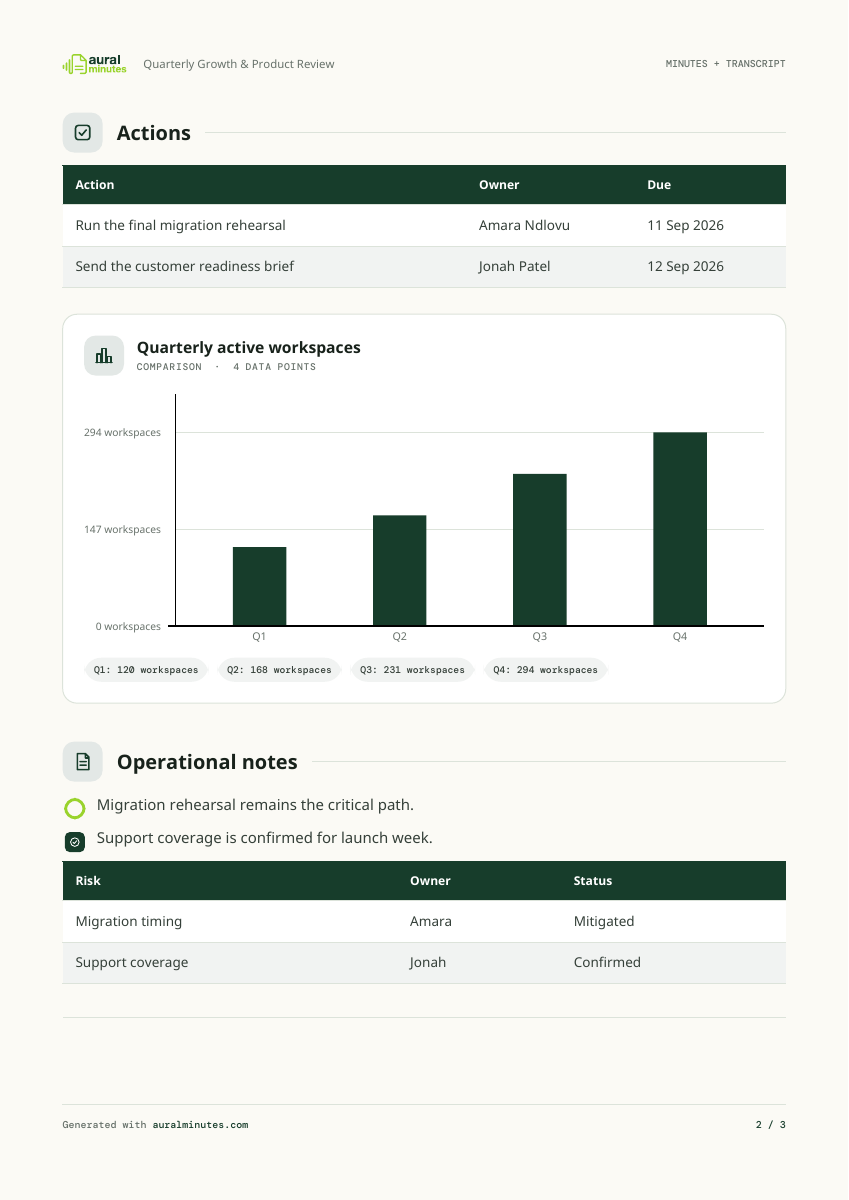
Page 2 of a genuine Classic PDF export: actions, a bar chart of quarterly workspaces, a checklist and a risk table.
Page 2 of 3Download PDF ↓
Generated by AuralMinutes’ actual PDF exporter using fictional sample data. All three document styles are available with Free; the organisation name shown is a Plus branding option.

Your meeting. Your choice.

On your phone.
By default.

Keep control of the conversations people trust you with. Record, transcribe and prepare your notes on your phone, without sending the meeting to a cloud service.

No AuralMinutes account needed for Free or Plus. No ads on any plan.

Read the privacy policy
01

Local work stays local.

Record, transcribe and prepare your notes on your phone without sending the meeting for cloud processing.

02

Cloud processing is a choice.

Choose a recording for cloud transcription or an AI write-up. Processing requires your consent and an account.

03

Your recovery folder matters.

If you choose a recovery folder in iCloud Drive, Google Drive or another synced location, copies of your projects, including audio, can leave your phone through that service.

Useful from the start

A free core.
More when you need it.

Start keeping clearer meeting records for free. Choose Plus when your documents need your own branding, or add cloud transcription and AI write-ups with Pro or Max.

Prices · US dollars

Plus

Professional documents, on your phone

$59.99/ year

or $149 once, yours to keep

Notify me about Plus

Works on your phone

  • Everything in Free
  • Editable Word documents
  • Custom PDF branding: logo, organisation and colour
  • No account needed

Max

More cloud hours for busier schedules

$59.99/ month

or $599 a year

Notify me about Max

Cloud transcription + AI

  • Everything in Pro
  • 50 hours of cloud transcription a month
  • 150 hours of AI write-up a month

Free

The essentials, free for good

Free

No account, no time limit

Get launch updates

Works on your phone

  • Unlimited recording, with no length limit
  • Transcription and speaker separation on your phone
  • Translation into English
  • The minutes editor and PDF export
  • A quick summary on supported iPhones

Every plan includes recording, on-device transcription, speaker editing, the manual notes editor and PDF export. No ads.

Compare plans

A few things to know

Clear expectations.
Better meetings.

Transcription and AI can make mistakes. Play back the recording, correct the text and review your minutes before sharing.

Does it transcribe while I am recording?

AuralMinutes records first, then transcribes the meeting on your phone.

How does it know who is speaking?

It separates voices in the recording. On your phone, tell it how many people spoke to help with speaker separation. With cloud transcription on Pro and Max, the speakers are found for you. Then name each voice. You can correct speaker assignments and transcript wording afterwards. It does not identify people from their position around the table.

Can it translate my meeting?

You can enable translation into English alongside the original transcript. Language support and results vary. It does not translate from English into other languages on the phone.

Do I need an account?

Recording, local transcription, the minutes editor and PDF export need no AuralMinutes account. Neither does Plus. Pro and Max need an account for cloud features.

What should I tell the people I record?

Tell everyone you are recording, get their agreement and follow the rules that apply to your meeting.

Coming to iPhone & Android

Your next meeting.
A little clearer.

Leave your email. We’ll let you know when AuralMinutes is ready to download.

Which phone?

One email when AuralMinutes launches, then we delete your address. To be removed sooner, write to [email protected].